General
A Notion Alternative That Works Offline: Yazora vs Notion
Notion is one of the most popular workspaces ever built, and for good reason. It is flexible, it has a huge template community, and its databases can model almost anything. But many people who search for a Notion alternative are not lookin…
Notion is one of the most popular workspaces ever built, and for good reason. It is flexible, it has a huge template community, and its databases can model almost anything.
But many people who search for a Notion alternative are not looking for more flexibility. They want a workspace that opens instantly on a train with no signal, keeps drafts private until they are ready, lets them sketch an idea next to the notes it came from, and doesn't charge a growing team per person.
That is the gap Yazora was built for. This guide compares the two honestly, including the cases where Notion is still the better choice.
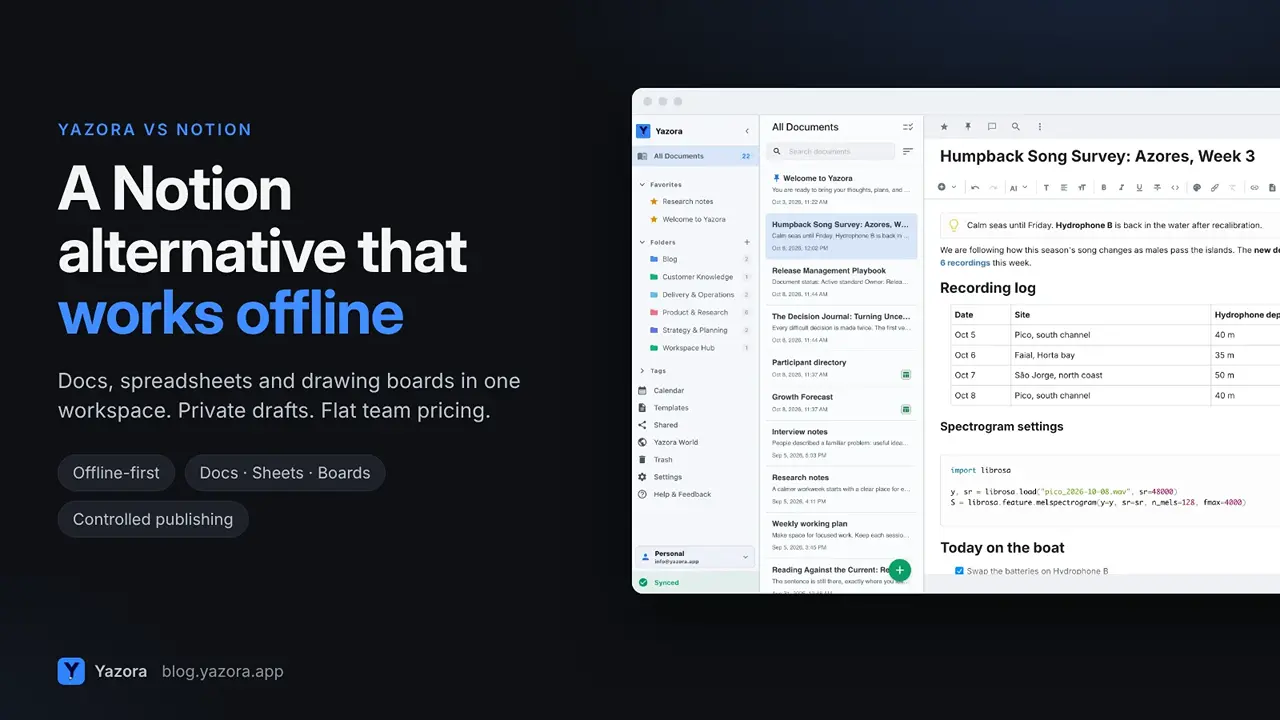
Quick answer
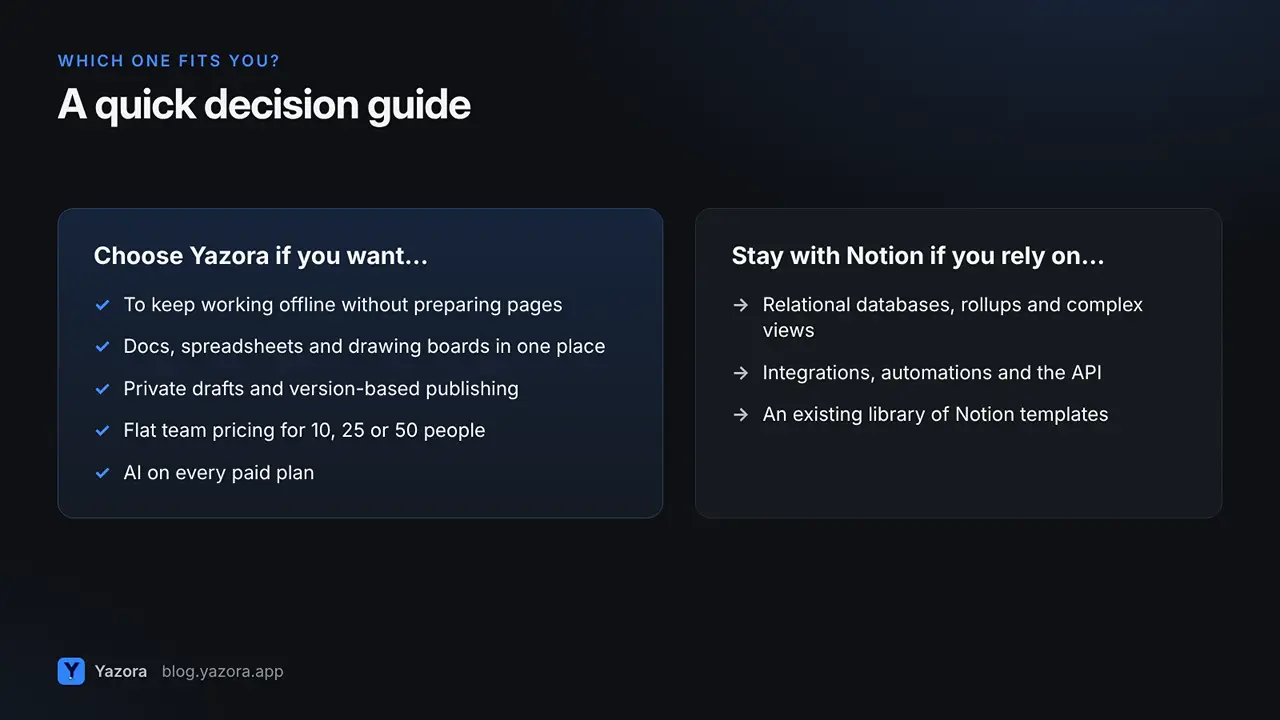
- Choose Yazora if you want documents, spreadsheets and drawing boards in one place, work that keeps going offline without preparing pages in advance, private drafts with controlled publishing, and flat team pricing.
- Stay with Notion if your work depends on relational databases, a large integration ecosystem, or an existing library of Notion templates and automations.
Why people look for a Notion alternative
A few reasons tend to come up:
- Offline is an afterthought. Notion added offline mode in 2025, but you still decide page by page what will be available without internet.
- Everything is a page or a database. That is powerful, but a quick freehand sketch or a classic cell-based spreadsheet usually means an embed or a workaround.
- Sharing can feel all-or-nothing. Once a page is public, every later edit is public too.
- Per-member pricing adds up. Every new teammate increases the bill, and the most capable AI features sit on higher tiers.
None of these are dealbreakers for everyone. But if two or more sound familiar, keep reading.
1. Docs, spreadsheets and drawing boards in one workspace
In Yazora, a Document, a Spreadsheet and a Drawing Board are all first-class document types. They live in the same folders, carry the same tags, and show up in the same search.
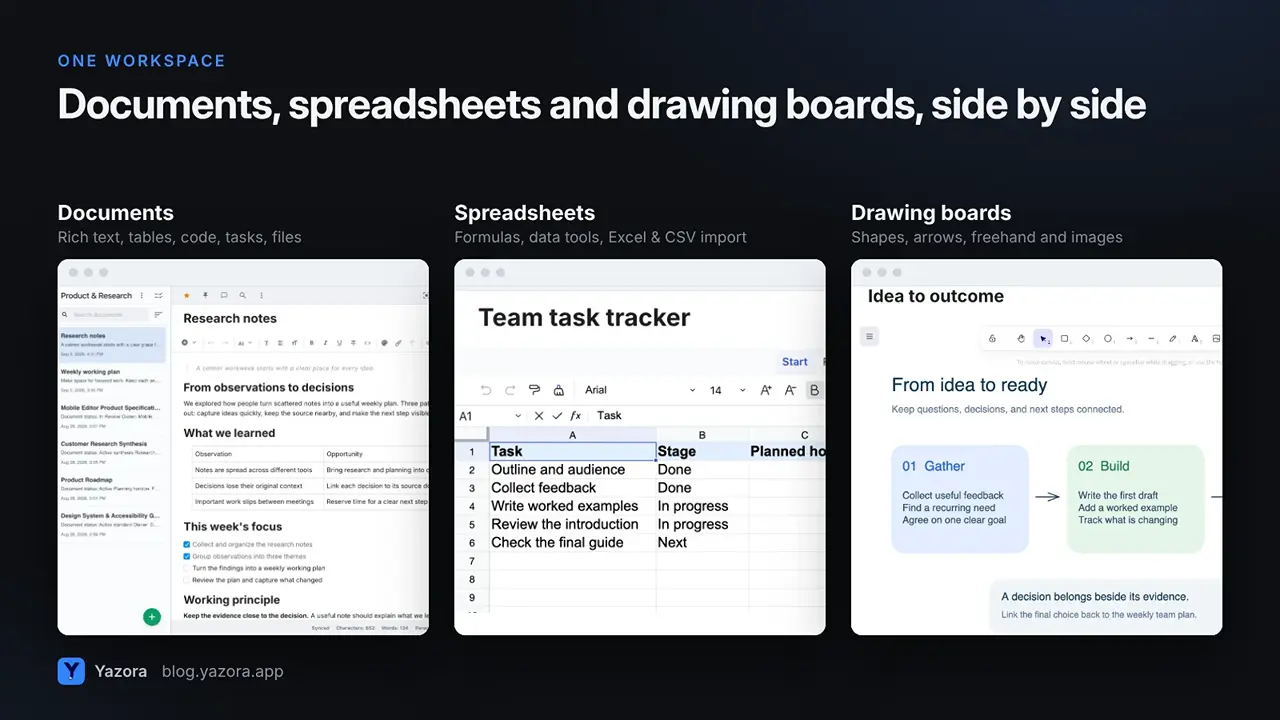
- Documents support headings,
/commands, code blocks, collapsible sections, tasks, tables, images, video, audio and file attachments, plus document links, backlinks and an automatic table of contents. - Spreadsheets have formulas and data tools, and you can import Excel, CSV and OpenDocument files.
- Drawing Boards give you shapes, arrows, freehand drawing, text and images on a free canvas, which is ideal for flows, mind maps and planning sessions.
Notion does tables and databases very well, but it relies on embeds or third-party connections for freeform drawing. If you think visually, keeping the sketch next to the notes it came from is a real quality-of-life upgrade.
2. Offline by default, not page by page
This is the biggest practical difference.
In Notion, offline access is something you prepare. You open a page, turn on Available offline, and repeat that on every device. When you download a database, only the first 50 rows come down automatically. Automatic downloading of recent and favorite pages is reserved for the Business and Enterprise plans, according to Notion's own offline guide.
In Yazora, every change is saved to your device first and synced when a connection is available. You can open, edit and create documents offline, and your other devices catch up automatically when you are back online.
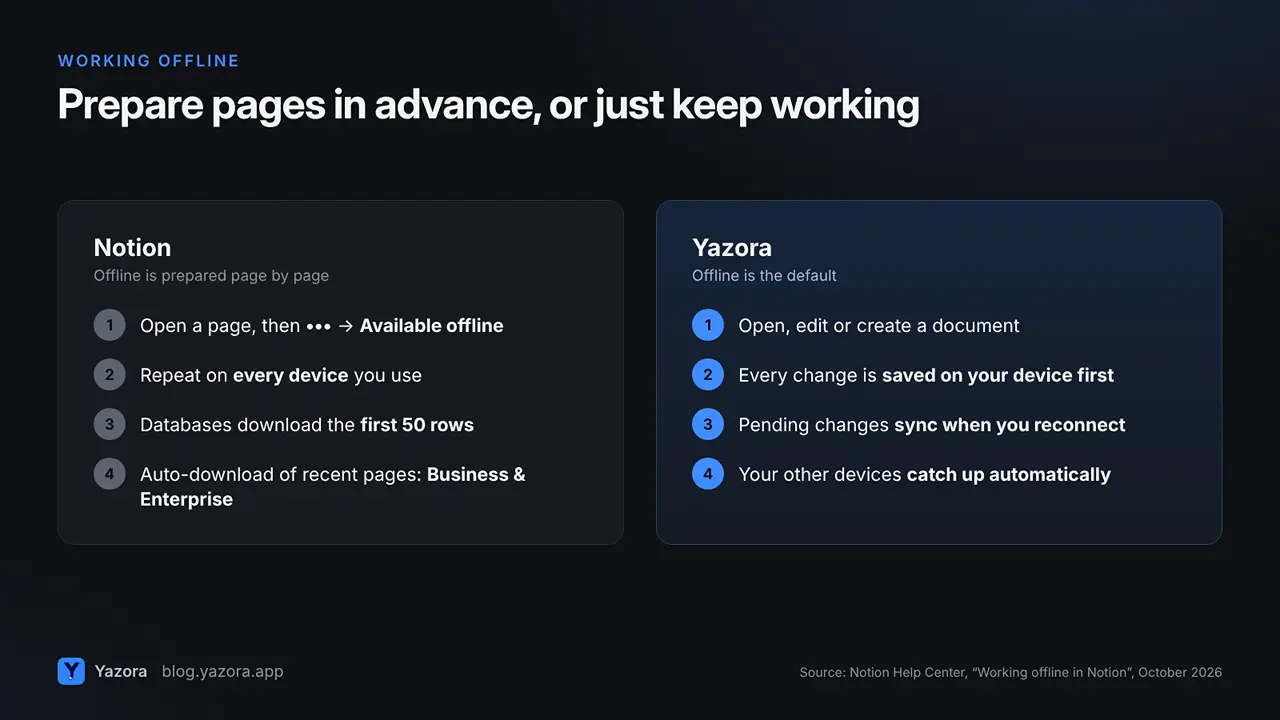
To be fair about the limits, some things in Yazora need a connection too: AI features, live collaboration, and content that hasn't been downloaded to that device yet. The difference is that you don't have to plan ahead for the work you are actively doing.
3. Private drafts, controlled publishing
Many teams use Notion to publish help pages, changelogs or public notes. The catch is that a public page shows every edit as soon as you make it.
Yazora separates drafting from publishing:
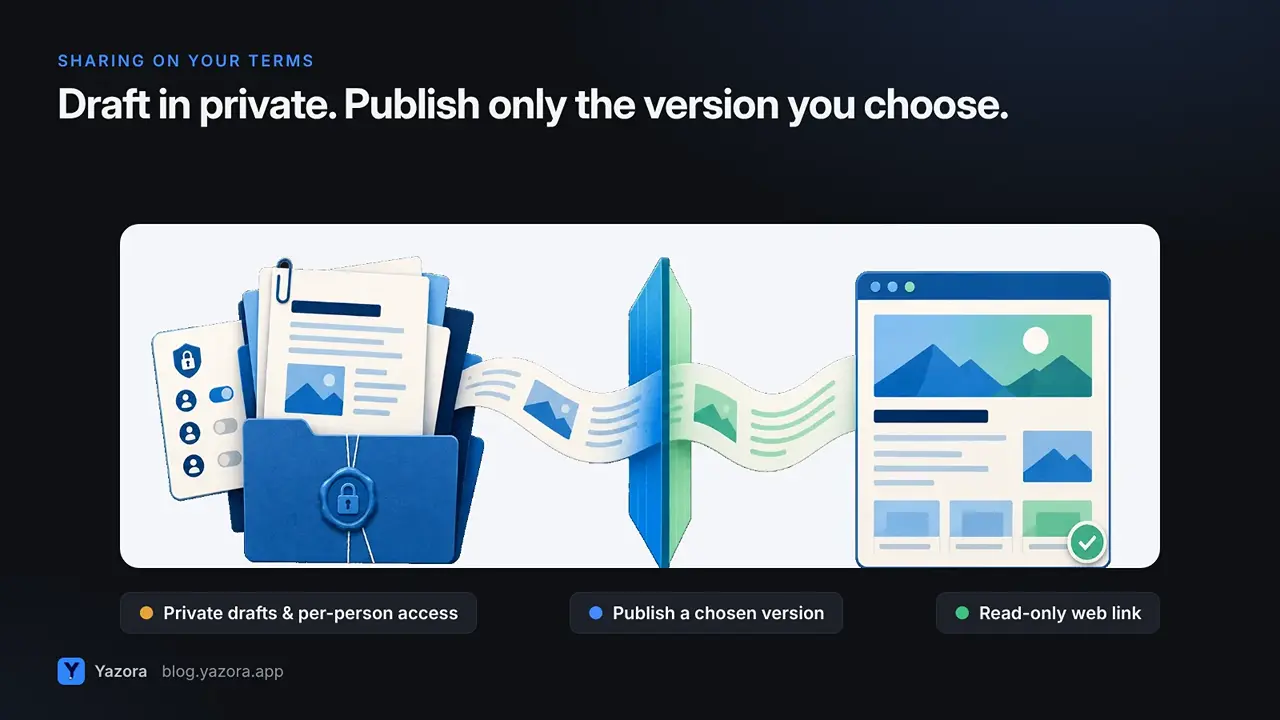
- Give each person view or edit access separately.
- When a document is ready, publish that version as a read-only web link.
- Later edits stay private until you choose to update the published version. You can also rotate the link or stop publishing at any time.
Inside a document, you can comment on the whole page or on a specific block, and keep private notes that only you can see.
4. Planning beside the work
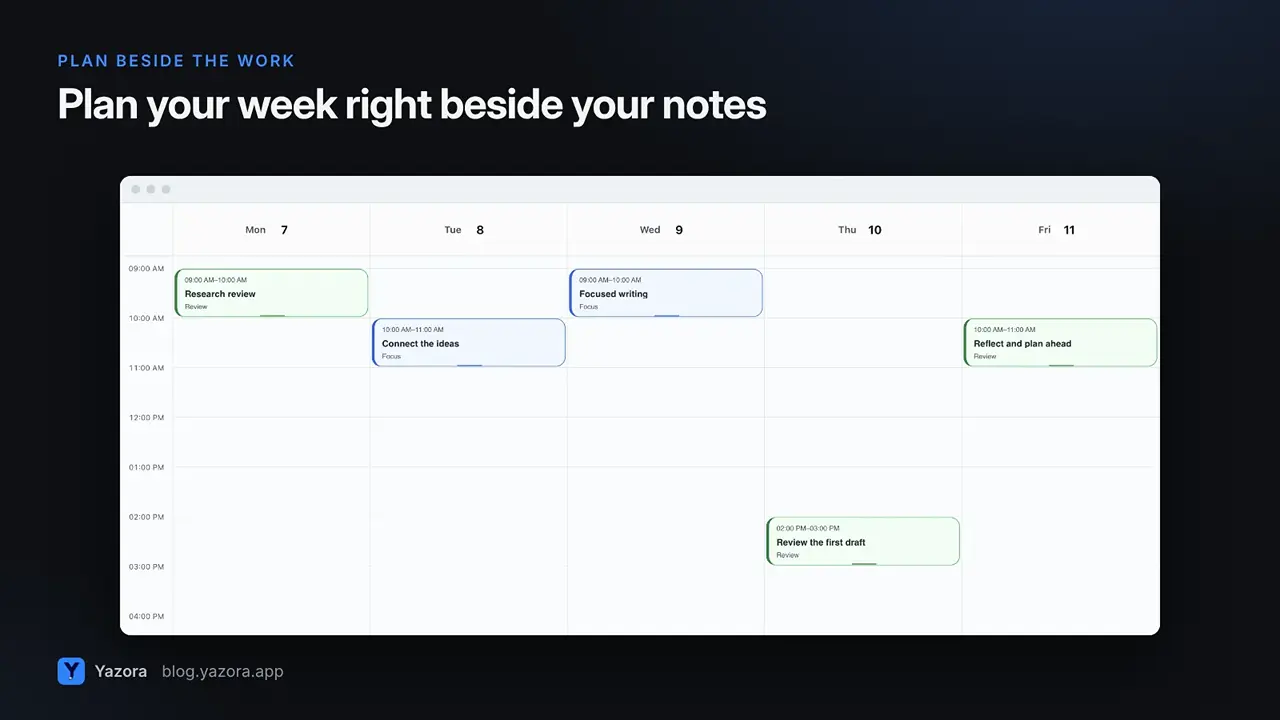
On paid Personal plans, Yazora includes a calendar with day, week, month and year views, recurring plans and reminders. You can link documents directly to a plan, so the meeting notes, the brief and the sketch are one click away from the time you blocked for them.
5. Team pricing that doesn't grow with every new hire
Notion bills paid plans per member, and its full AI feature set is part of the Business plan (see Notion pricing).
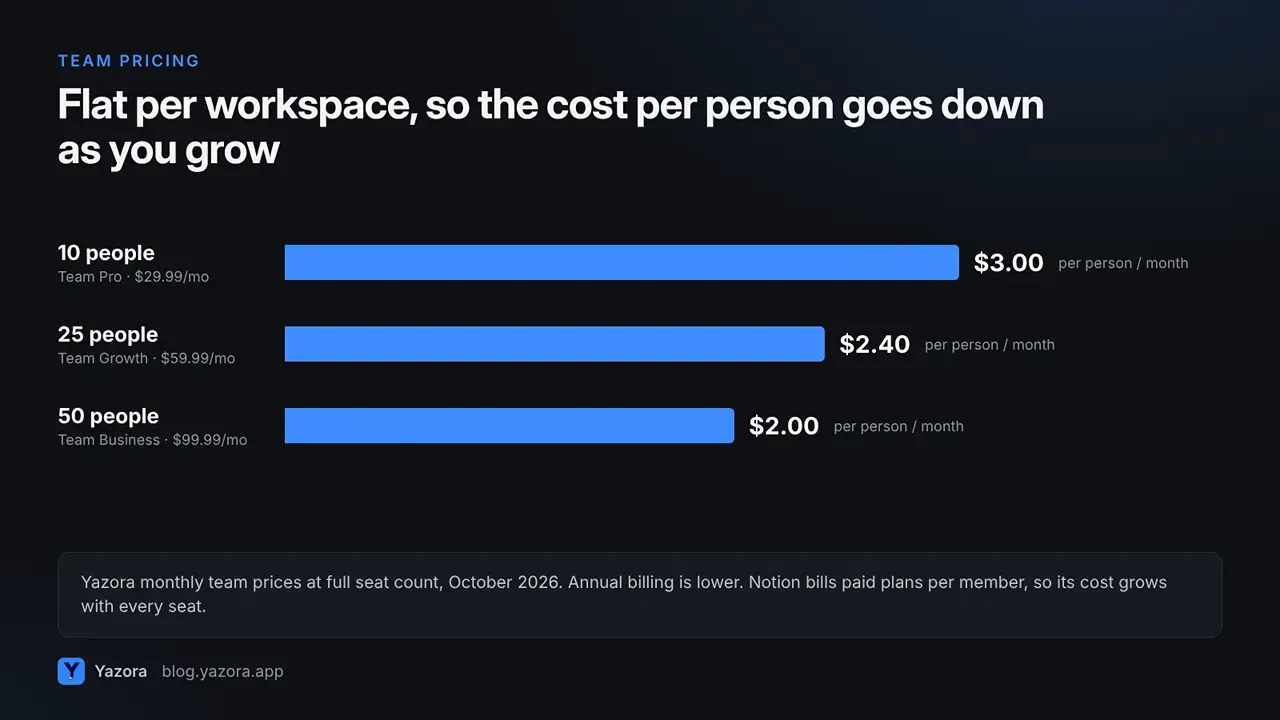
Yazora's team plans are flat per workspace:
Yazora plan | Price | People | Shared file storage |
Free Team | $0 | Up to 5 (incl. owner) | 250 MB |
Team Pro | $29.99 / month | Up to 10 | 25 GB |
Team Growth | $59.99 / month | Up to 25 | 100 GB |
Team Business | $99.99 / month | Up to 50 | 250 GB |
That works out to about $3 per person per month for a full 10-person team on Team Pro, or $2 per person at 50 people on Team Business. Annual billing lowers it further. All paid plans include AI with a monthly usage quota.
For individuals, Personal Free includes documents, drawing boards, spreadsheets and 250 MB of file storage. Yazora Pro starts at $4.99 per month. Prices are taken from yazora.app/pricing in October 2026.
6. Moving from Notion to Yazora
You don't have to start from scratch.
- Export from Notion. In Notion, choose Export and download your pages as a ZIP file. Notion's export guide explains the options.
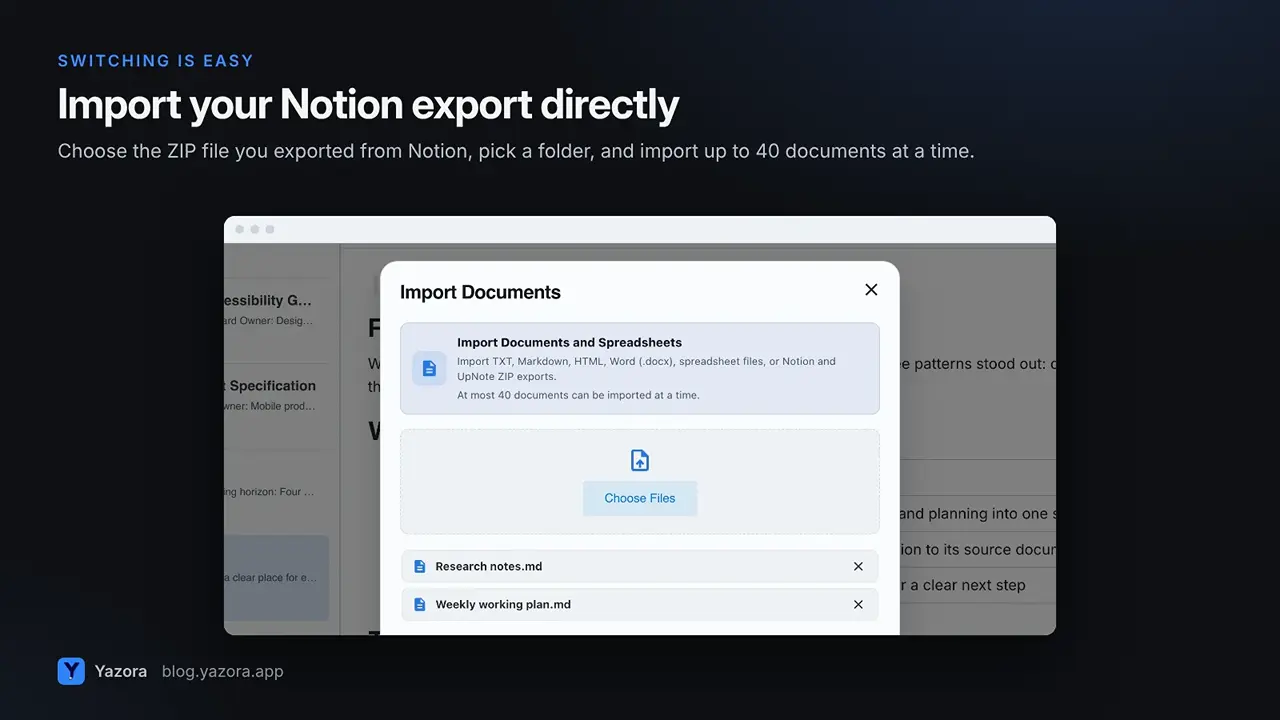
- Import into Yazora. Open Import Documents, choose the Notion ZIP export, and pick a destination folder. The same dialog also accepts Markdown, HTML, TXT, Word (DOCX) and spreadsheet files, up to 40 documents at a time.
- Recreate your structure. Use folders, tags, favorites and pinned items, then turn the documents that work well into reusable templates.
- Scan the rest. Have whiteboard photos or printed notes? Yazora can turn text in images into editable content.
Your work stays portable: you can export documents as Word, Markdown, HTML or PDF, back up your documents and folder structure, and restore earlier versions within your plan's retention period.
Yazora vs Notion at a glance
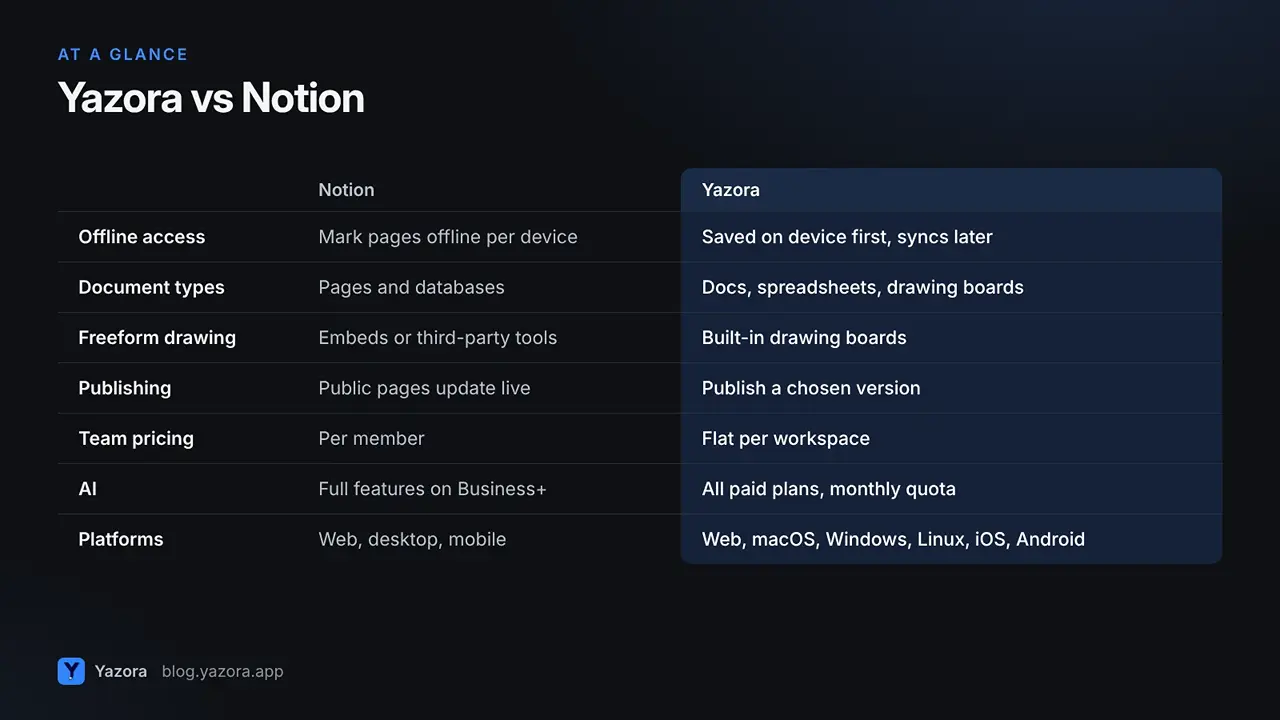
| Notion | Yazora |
Offline access | Mark pages offline per device; databases download the first 50 rows | Every change saved on the device first, syncs when online |
Document types | Pages and databases | Documents, spreadsheets, drawing boards |
Freeform drawing | Through embeds or third-party connections | Built-in drawing boards |
Publishing | Public pages update with every edit | Publish a chosen version; later edits stay private |
Team pricing | Per member | Flat per workspace (10, 25 or 50 people) |
AI | Full features on the Business plan and above | Included on all paid plans, with a monthly quota |
Platforms | Web, desktop, mobile | Web, desktop (macOS, Windows, Linux), iOS, Android |
Strongest at | Relational databases, integrations, templates | Offline work, mixed document types, controlled sharing |
When Notion is still the better choice
A useful alternative should be honest about where it isn't the right fit. Notion is likely the better tool if:
- your system is built on relational databases, rollups and complex views;
- you rely on integrations, automations or the API to connect Notion with other tools;
- your team already shares a large library of Notion templates and changing tools would cost more than it saves.
If that's you, Notion's offline mode and higher tiers may be enough to close the gaps above.
Who Yazora is for
Yazora is a strong Notion alternative for:
- Writers, researchers and students who work on the go and need their notes to just open.
- Small and growing teams that want docs, sheets and whiteboards in one place without per-person pricing.
- Anyone who publishes, such as help centers, changelogs or public notes, and wants drafts to stay private until they are ready.
- Privacy-minded people who want to decide what gets shared, when, and with whom.
FAQ
Is Yazora free? Yes. Personal Free includes documents, drawing boards, spreadsheets and 250 MB of file storage. Free Team includes up to five people, counting the owner, with 250 MB of shared storage.
Does Yazora really work without internet? Yes. You can open and edit documents on your device and create new ones offline. Pending changes sync when you reconnect. AI, live collaboration, and content that hasn't been downloaded to the device need a connection.
Can I import my Notion workspace into Yazora? Yes. Export your pages from Notion as a ZIP file, then choose that file in Yazora's Import Documents dialog. You can import up to 40 documents at a time.
Does Yazora have AI? Yes, on paid plans with a monthly usage quota. AI works only on the text you select or the document you choose, and you review the result before applying it.
Which platforms does Yazora support? Web, macOS, Windows, Linux, iOS and Android, with your documents in sync across all of them.
Try it with your own notes. Start with Yazora for free. Invite your team later, and nothing is shared until you decide.