General
An Evernote Alternative Built to Grow: Yazora vs Evernote
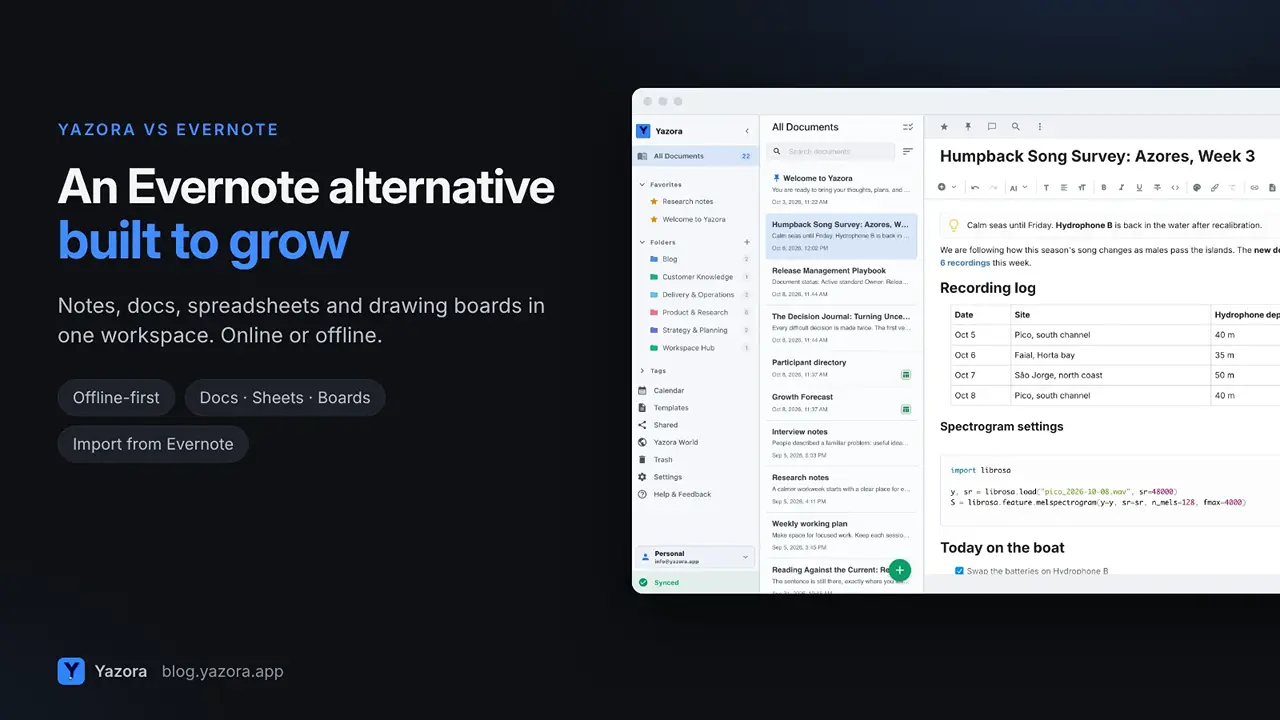
Evernote taught a whole generation to "remember everything." For years it was the default place for notes, clippings and scanned receipts. Today many long-time users are looking for an Evernote alternative . Some hit the limits of the free…
Evernote taught a whole generation to "remember everything." For years it was the default place for notes, clippings and scanned receipts.
Today many long-time users are looking for an Evernote alternative. Some hit the limits of the free plan, some want a workspace that does more than store notes, and some simply want a fresh start that still works offline.
This guide compares Yazora and Evernote honestly, shows you how to move your notes, and is clear about where Evernote is still the better fit.
Quick answer
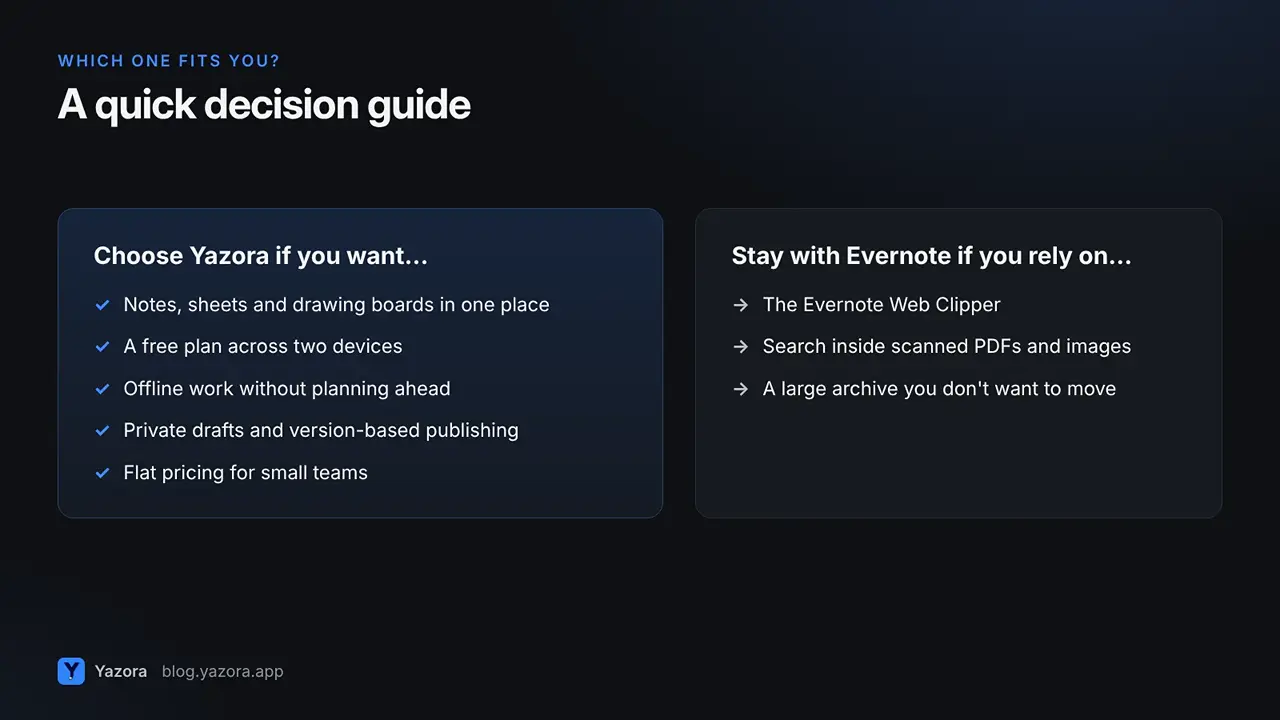
- Choose Yazora if you want notes, documents, spreadsheets and drawing boards in one workspace, a free plan with room to organize across two devices, version-based publishing, and flat pricing for teams.
- Stay with Evernote if you rely on its web clipper, document scanning and search inside PDFs and images, or a decade of notes organized exactly the way you like.
Why people look for an Evernote alternative
A few reasons come up again and again:
- The free plan got small. Evernote Free now includes 50 notes, one notebook and one device, according to Evernote's plan comparison.
- Notes are only part of the work. Plans, tables, sketches and team documents end up in other apps.
- Teams want to work together in the same document, with clear access rules.
- People want control over what is shared and when.
1. More than notes: docs, spreadsheets and drawing boards
Evernote is built around notes and notebooks. Yazora treats documents, spreadsheets and drawing boards as first-class types that live side by side in the same folders, tags and search.
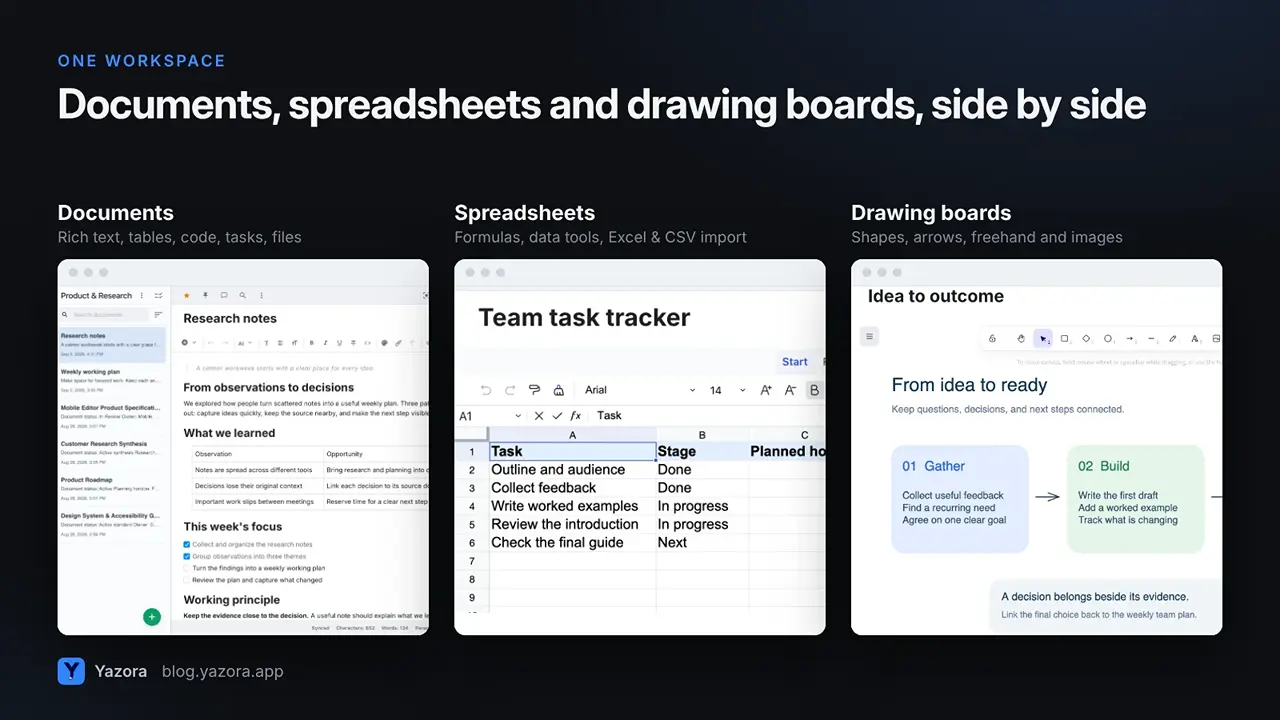
- Documents support headings,
/commands, tasks, tables, code blocks, images, audio, video and file attachments, plus links between documents and backlinks. - Spreadsheets have formulas and data tools, and import Excel, CSV and OpenDocument files.
- Drawing Boards give you shapes, arrows, freehand drawing and images on a free canvas.
If your Evernote account is full of notes that are really project plans, budgets or diagrams, this is where Yazora feels different.
2. A free plan you can actually live in
Evernote's free plan is designed as a trial of the full product. Yazora's free plan is designed to be used every day.
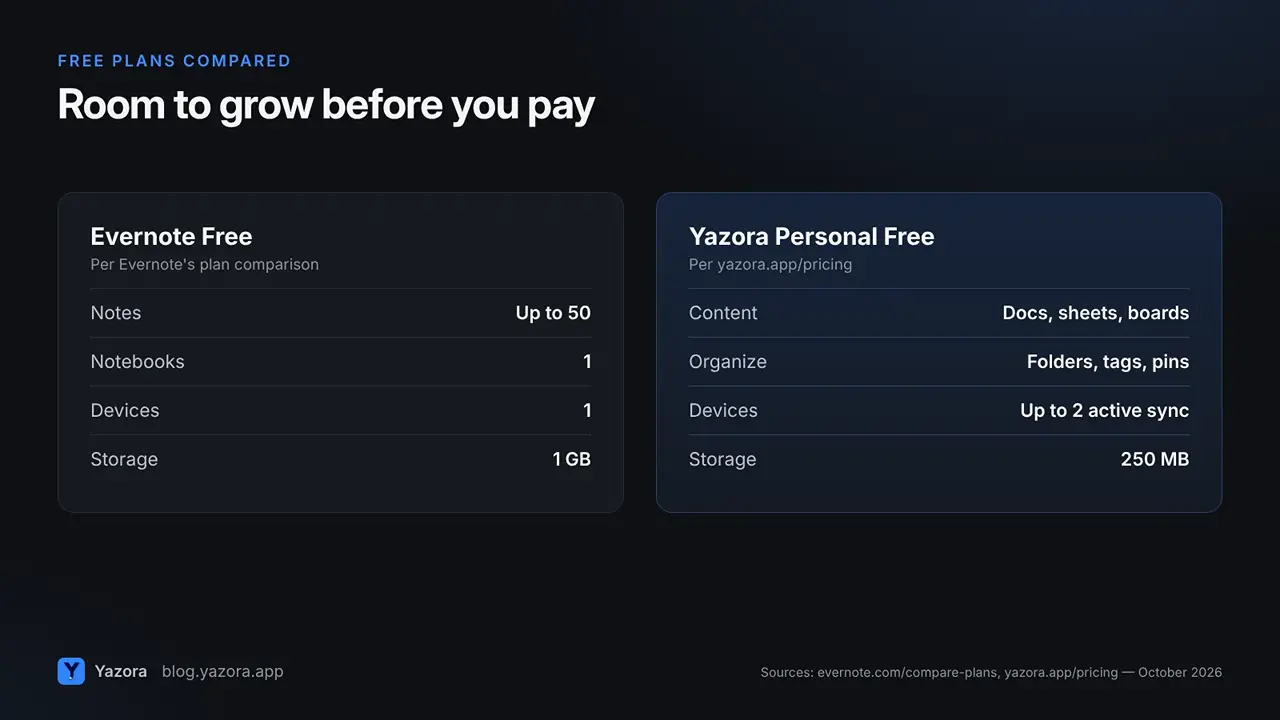
| Evernote Free | Yazora Personal Free |
Notes | Up to 50 | Documents, spreadsheets and boards |
Notebooks / folders | 1 notebook | Folders, tags, favorites, pins |
Devices | 1 device | Up to 2 active sync devices |
Storage | 1 GB | 250 MB file storage |
Time limit | None | None |
Sources: Evernote plan comparison and Yazora pricing, October 2026.
Evernote gives you more raw storage on the free plan; Yazora gives you more room to organize and more devices. Which matters more depends on whether your notes are mostly attachments or mostly writing.
3. Offline without planning ahead
On Evernote's mobile apps, you choose notebooks one at a time and switch on Available offline, as explained in Evernote's help center.
In Yazora, every change is saved to your device first and synced when you are online. You can open, edit and create documents without a connection, and your other devices catch up automatically. AI, live collaboration, and content not yet downloaded to the device still need a connection.
4. Share on your terms
Yazora lets you give each person view or edit access, and publish a finished document as a read-only web link. Later edits stay private until you choose to update the published version, and you can rotate the link or stop publishing at any time.
Inside a document you can comment on the whole page or on a single block, and keep private notes that only you can see.
5. How to move from Evernote to Yazora
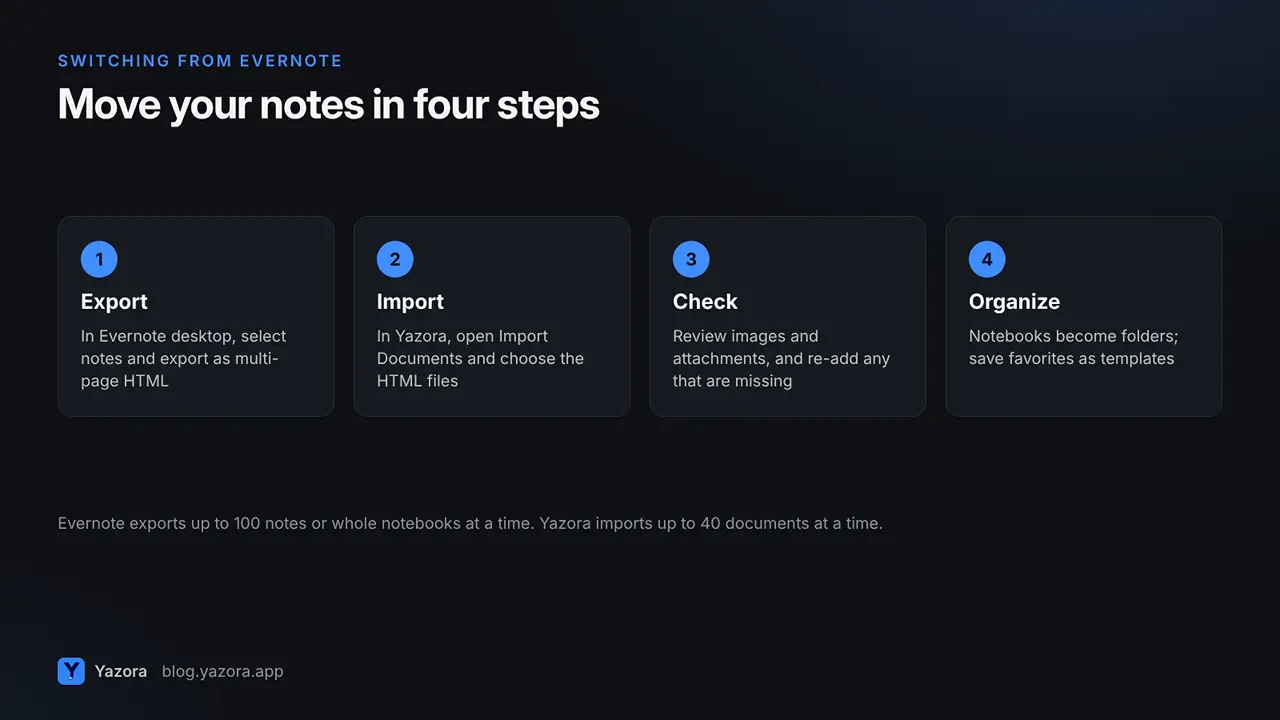
- Export from Evernote. In the Evernote desktop app for Mac or Windows, select a notebook or up to 100 notes, right-click and choose Export, then pick multi-page HTML. Evernote's export guide walks through each option.
- Import into Yazora. Open Import Documents, choose the exported HTML files and a destination folder. You can import up to 40 documents at a time.
- Check images and attachments. Text and formatting come across as documents. Images and attachments that live in Evernote's separate resources folder may need to be added again in Yazora.
- Rebuild your structure. Turn notebooks into folders, keep tags as tags, and save the notes you reuse as templates.
Yazora can also turn text in images into editable content, which helps with scanned notes that were never searchable before.
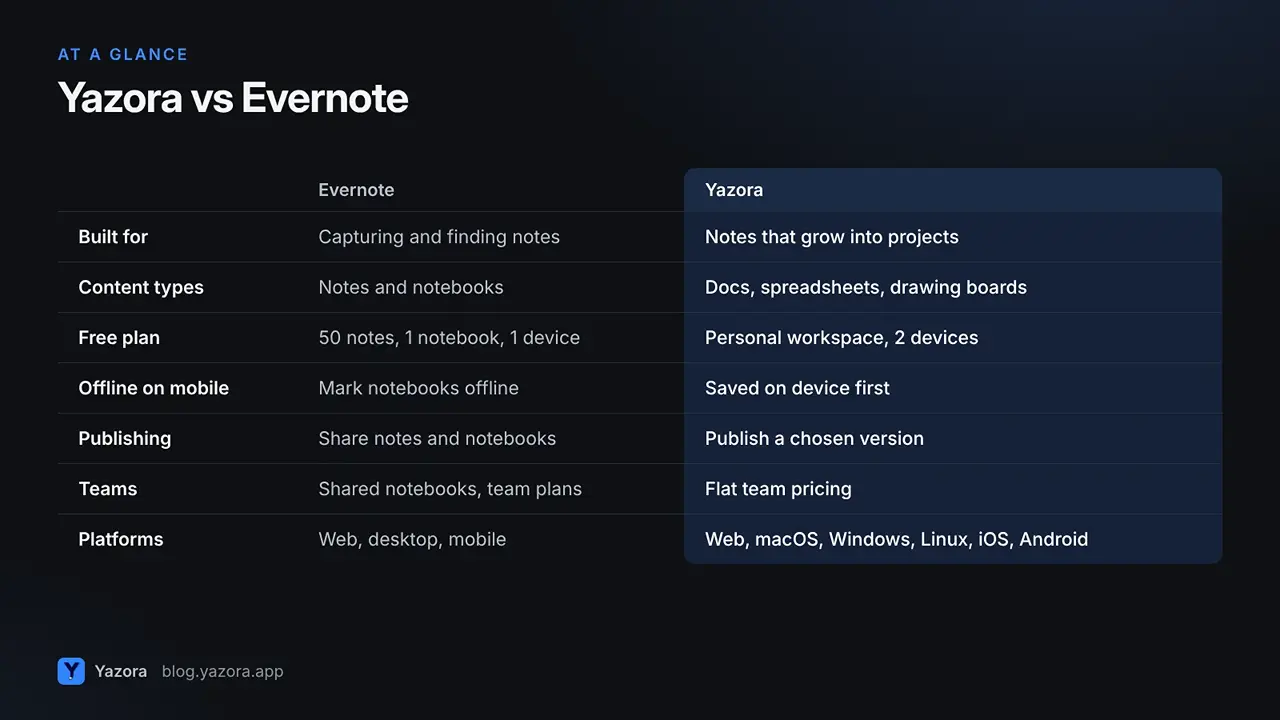
Yazora vs Evernote at a glance
| Evernote | Yazora |
Built for | Capturing and finding notes | Notes that grow into projects |
Content types | Notes and notebooks | Documents, spreadsheets, drawing boards |
Free plan | 50 notes, 1 notebook, 1 device | Personal workspace, 250 MB, 2 devices |
Offline on mobile | Mark notebooks available offline | Every change saved on the device first |
Publishing | Share notes and notebooks | Publish a chosen version as a read-only link |
Teams | Shared notebooks; team plans | Personal and team workspaces, flat team pricing |
Platforms | Web, desktop, mobile | Web, macOS, Windows, Linux, iOS, Android |
When Evernote is still the better choice
Evernote is likely the better tool if you:
- clip a lot of web pages and rely on the Evernote Web Clipper;
- scan paper documents and depend on search inside PDFs and images across years of notes;
- have a large, carefully tagged archive and moving it would cost more time than it saves.
Who Yazora is for
- Long-time Evernote users who outgrew the free plan and want their notes, plans and sketches in one place.
- Students and researchers who want notes, tables and diagrams side by side, online or offline.
- Small teams that want shared workspaces without paying per person: Team Pro covers up to 10 people for $29.99 per month.
- Anyone who publishes guides or notes and wants drafts to stay private until they are ready.
FAQ
Can I import my Evernote notes into Yazora? Yes. Export your notes from the Evernote desktop app as multi-page HTML, then import those files with Yazora's Import Documents dialog, up to 40 at a time. Check images and attachments afterwards.
Is Yazora free? Yes. Personal Free includes documents, drawing boards, spreadsheets, 250 MB of file storage and up to 2 active sync devices, with no time limit.
Does Yazora work offline? Yes. Changes are saved to your device first and sync when you reconnect.
Does Yazora have AI? Yes, on paid plans with a monthly usage quota. It works on the text or document you choose, and you review the result before applying it.
Which platforms does Yazora support? Web, macOS, Windows, Linux, iOS and Android.
Bring your notes somewhere they can grow. Start with Yazora for free.