General
The Best Offline Note-Taking Apps
A note-taking app is only as good as its worst connection. On a plane, in a basement meeting room or on a patchy train, some apps keep working exactly as before. Others show a spinner, a grayed-out page or an empty list. This guide compare…
A note-taking app is only as good as its worst connection. On a plane, in a basement meeting room or on a patchy train, some apps keep working exactly as before. Others show a spinner, a grayed-out page or an empty list.
This guide compares the best offline note-taking apps in October 2026, with a focus on one question: what actually works when the internet doesn't?
Full disclosure: we make Yazora, one of the apps on this list. We have tried to be fair to every app, including the cases where another one is the better choice.
Three kinds of "offline"
Almost every notes app now says it works offline. In practice, they fall into three groups:
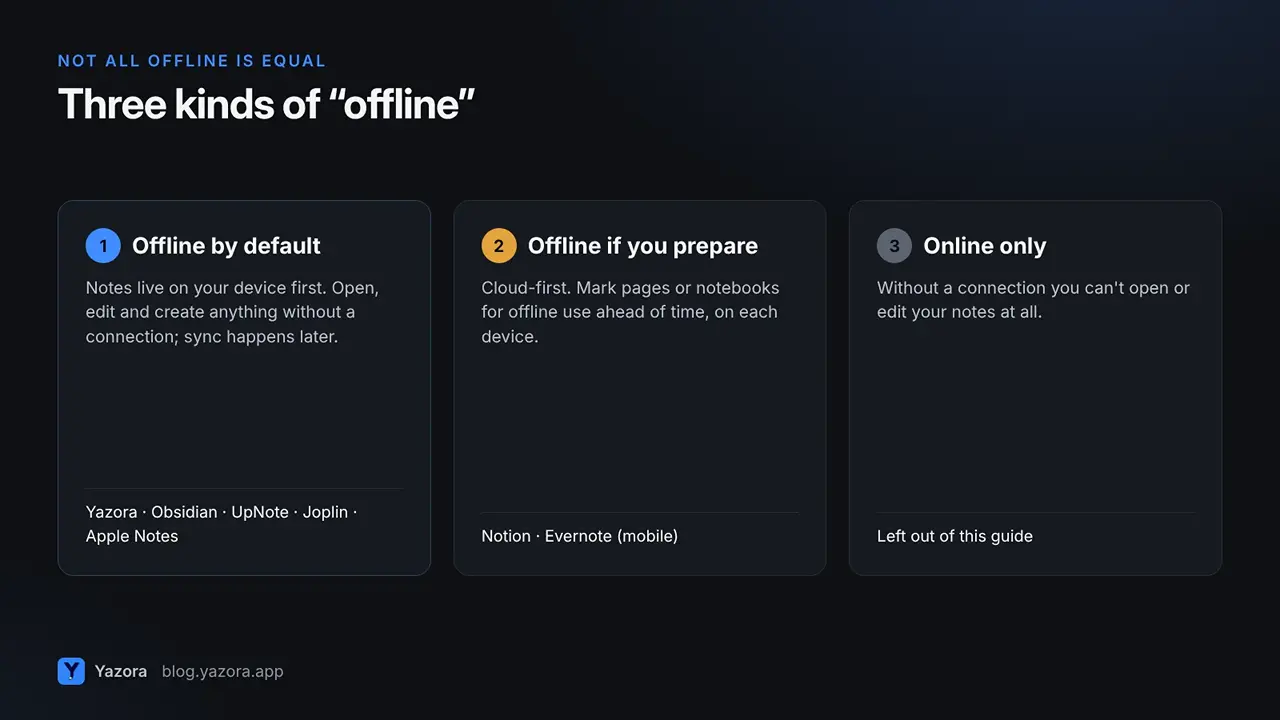
- Offline by default. Your notes live on your device first. You can open, edit and create anything without a connection, and changes sync later. Yazora, Obsidian, UpNote, Joplin and Apple Notes work this way.
- Offline if you prepare. The app is cloud-first, but you can mark pages or notebooks for offline use ahead of time. Notion and Evernote's mobile apps work this way.
- Online only. Without a connection, you can't open or edit your notes at all. We left these apps out.
The difference matters most when you don't expect to be offline. With an offline-by-default app, you never have to think about it.
Quick picks
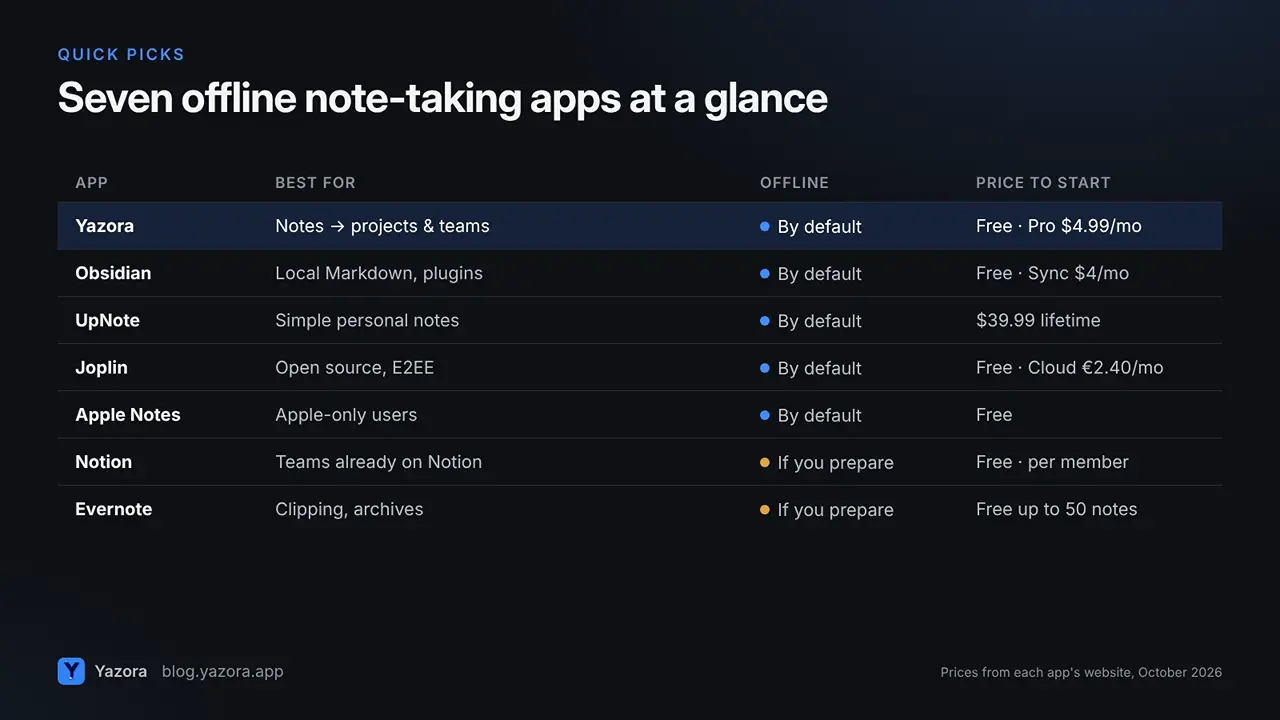
App | Best for | Offline | Price to start |
Yazora | Notes that grow into projects and teams | By default | Free; Pro $4.99/month |
Obsidian | Local Markdown files and plugins | By default | Free; Sync from $4/month |
UpNote | Simple, fast personal notes | By default | Free up to 50 notes; $39.99 lifetime |
Joplin | Open source and end-to-end encryption | By default | Free app; cloud sync from €2.40/month |
Apple Notes | Apple-only users | By default | Free |
Notion | Teams already using Notion | If you prepare | Free; paid per member |
Evernote | Clipping and long-time archives | If you prepare (mobile) | Free up to 50 notes |
Prices are from each app's website in October 2026 and may change.
1. Yazora: best for notes that grow into projects
Yazora saves every change to your device first and syncs when you are back online. What makes it different is what you can create offline: not just notes, but documents, spreadsheets and drawing boards in the same workspace.
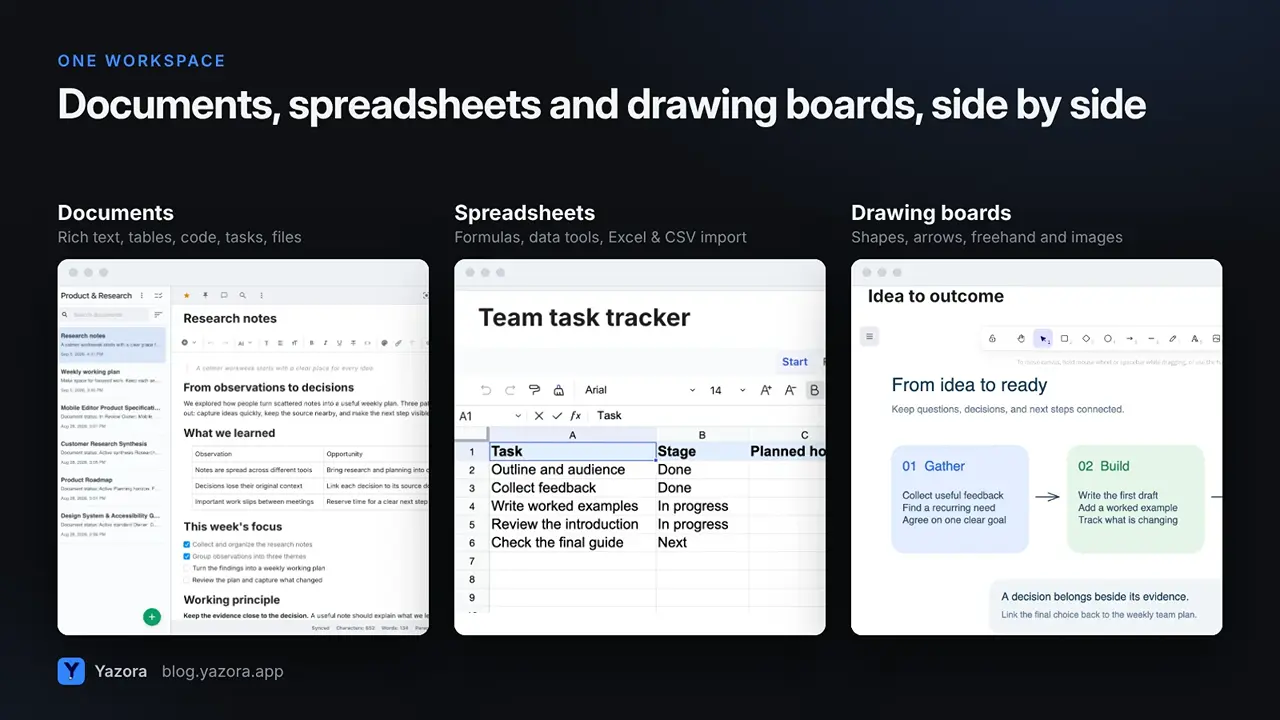
- Offline: open, edit and create documents without a connection; other devices catch up automatically. AI, live collaboration and content not yet downloaded to the device need a connection.
- Beyond notes: spreadsheets with formulas, drawing boards for sketches and flows, and a calendar on paid Personal plans.
- Teams: personal and team workspaces, view or edit access per person, and live collaboration on paid Team plans.
- Publishing: publish a chosen version as a read-only web link; later edits stay private until you update it.
- Platforms: web, macOS, Windows, Linux, iOS and Android.
- Price: Personal Free includes 250 MB and 2 sync devices. Yazora Pro is $4.99/month, and Team Pro is $29.99/month for up to 10 people.
Consider something else if you only write simple personal notes and want the lowest one-time price, or you want your notes as plain Markdown files on disk.
2. Obsidian: best for local Markdown and plugins
Obsidian stores your notes as plain Markdown files on your device, so offline is simply how it works. The app is free, and a huge plugin community lets you shape it into almost anything. Its Canvas feature adds a visual board for linking notes and ideas.
- Offline: fully, because your files are local.
- Sync: optional Obsidian Sync costs $4/month billed annually ($5 monthly), or use your own file sync.
- Collaboration: Sync supports shared vaults with up to 20 people, but Obsidian does not support live editing on the same file.
Consider something else if you want a ready-made experience without plugins, or real-time collaboration with a team.
3. UpNote: best for simple, fast personal notes
UpNote is a clean, quick notes app that works offline and syncs across Mac, Windows, Linux, iOS and Android. It has notebooks, tags, internal links, templates and Markdown support.
- Offline: yes.
- Price: free for up to 50 notes; Premium is $1.99/month or $39.99 once for a lifetime license.
- Collaboration: you can share a note as a read-only web link, but there are no shared workspaces or live editing.
Consider something else if your notes need spreadsheets, sketches or teammates.
4. Joplin: best open-source option
Joplin is an open-source note-taking app for Windows, macOS, Linux, Android and iOS, with end-to-end encryption for synced notes. You can sync through Joplin Cloud, Dropbox, OneDrive and other services.
- Offline: yes, notes are stored on your device.
- Price: the app is free; Joplin Cloud starts at €2.40/month billed yearly.
- Trade-off: setup and design feel more technical than most apps on this list.
Consider something else if you want a polished, team-ready workspace out of the box.
5. Apple Notes: best free choice on Apple devices
Apple Notes comes with every iPhone, iPad and Mac. Notes are stored on the device and sync through iCloud, so it works offline without any setup, and you can share notes with other Apple users.
- Offline: yes.
- Price: free with an Apple device (iCloud storage plans apply).
- Trade-off: there are no native apps for Windows or Android, only a browser version through iCloud.com.
Consider something else if you or your team use Windows or Android.
6. Notion: works offline if you prepare
Notion added offline mode in 2025. According to Notion's offline guide, you turn on Available offline page by page on each device, databases download their first 50 rows automatically, and recent and favorite pages download automatically only on Business and Enterprise plans.
Good choice if your team already lives in Notion and you mostly work online. For a full comparison, read our Yazora vs Notion guide.
7. Evernote: offline notebooks on mobile
On Evernote's mobile apps you choose notebooks one at a time and switch on Available offline, as described in Evernote's help center. The free plan is limited to 50 notes, one notebook and one device, according to Evernote's plan comparison.
Good choice if you rely on the Evernote Web Clipper or have a large archive there already. Our Yazora vs Evernote guide covers the details.
How to choose
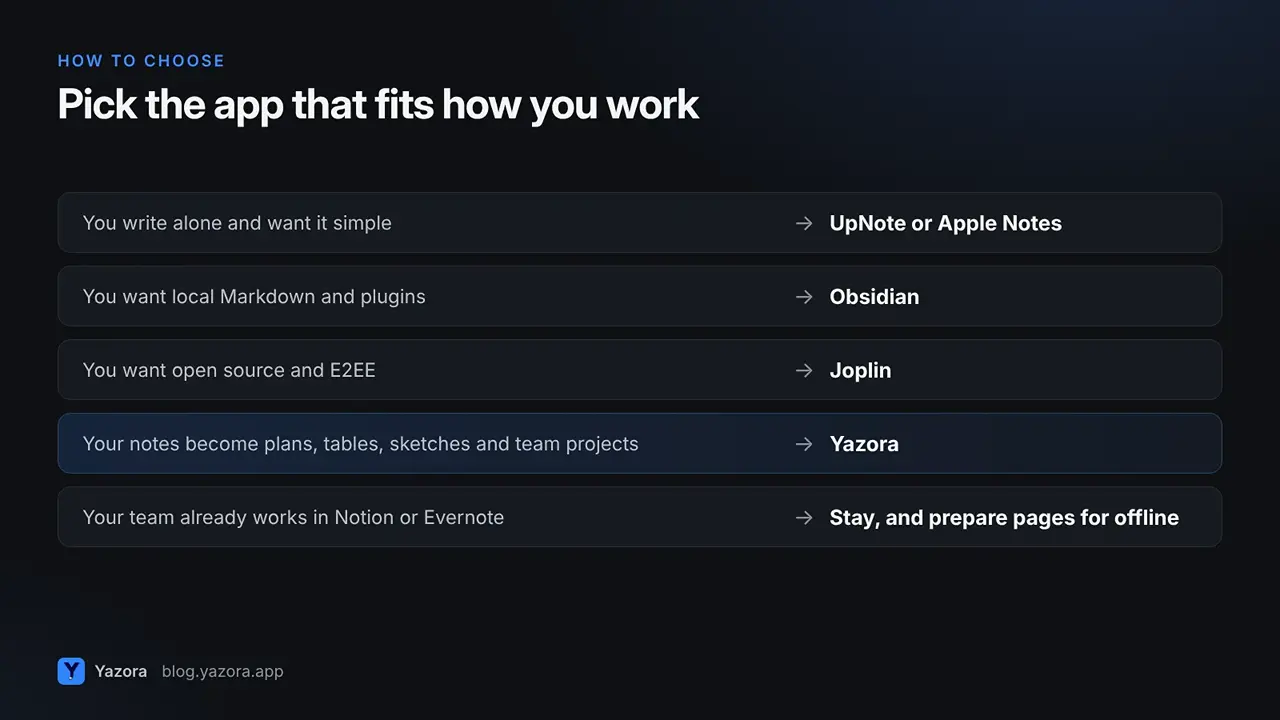
- You write alone and want it simple and cheap: UpNote or Apple Notes.
- You want local Markdown files and endless customization: Obsidian.
- You want open source and end-to-end encryption: Joplin.
- Your notes turn into plans, tables, sketches and team projects: Yazora.
- Your team already works in Notion or Evernote: stay, and prepare your most important pages for offline use.
FAQ
What is the best offline note-taking app? It depends on how you work. For simple personal notes, UpNote and Apple Notes are excellent. For local Markdown files, Obsidian. For open source, Joplin. If your notes grow into projects with spreadsheets, sketches and teammates, Yazora covers more in one workspace.
Does Notion work offline? Yes, partly. You need to mark pages as available offline on each device, and databases download their first 50 rows automatically.
Which offline notes app is free? Obsidian, Joplin and Apple Notes are free to use. Yazora and UpNote have free plans; Evernote's free plan is limited to 50 notes.
Can I collaborate offline? You can edit offline in every app on this list, but live collaboration needs a connection. Changes made offline sync once you reconnect.
Try an offline-first workspace for free. Start with Yazora. No time limit, and nothing is shared until you decide.